Last updated: November 19, 2026
Quick Answer: In most cases, the original APK listing is the one that matches the publisher name, developer account, package name, and source trail across at least 4 identity details. This guide to How to Find the Original App Listing When an APK Page Links to Several Copies shows which clues matter, which ones mislead, and how to tell the canonical app entry from a mirror.
Key Takeaways
- The original listing is usually the one tied to the real publisher name or developer account.
- Duplicate pages often repeat the same app icon, version string, and screenshots, but the source trail differs.
- A file host link can point to the same APK file without being the original listing.
- The safest path is to compare app identity details, then confirm which page the store or directory treats as the main entry.
- If the page hides the publisher or breaks the version history, treat it as a mirror until you find better proof, and if the trail stays unclear, consult a professional and verify with a source you trust.
What counts as the original APK listing?
The original APK listing is the page that first presents the app under the publisher’s own identity, not just the one that happens to host a copy. In practice, that means the listing tied to the real developer account, a stable publisher name, or the directory’s main app record.
Picture this: you’re looking at three pages for the same app, all with the same icon and version number, but only one has the clean source trail. The rest are copies, reposts, or mirrors. That distinction matters because the page you start from shapes everything else you trust.
The original listing usually has a few signs working together:
- The publisher name is consistent across versions.
- The app title matches the name used by the developer.
- The page shows a clear app history, not a random reupload date.
- The download path points through the same file host or store system every time.
A mirror can look polished and still be secondary. A listing can also be the “main” page on a directory without being the developer’s own page. That’s why the job is not “find the prettiest page.” It’s “find the page that best matches the app’s real identity.”
How do I tell which APK listing is the original?
The original APK listing is the one whose identity details line up across the page, the publisher, and the file source. Start with the name shown on the listing, then check whether the publisher name and developer account repeat that same identity on every copy.
Picture this: you open an APK page and see four download buttons, two mirrors, and one main entry. The right move is to stop looking at the buttons first and inspect the page header, the publisher line, and the app record itself.
The first check is the app title. The second is the publisher name. The third is the package name. Together, those 3 details are often more useful than a page design that looks official.
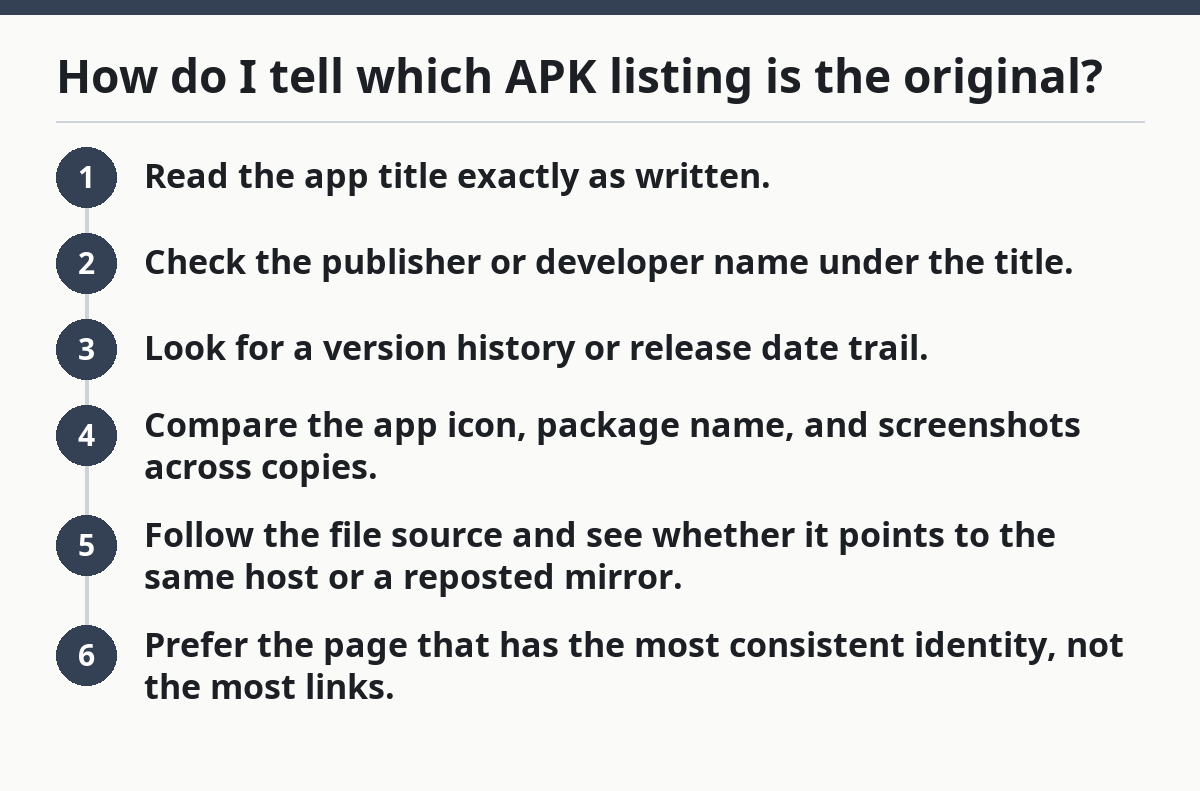
- Read the app title exactly as written.
- Check the publisher or developer name under the title.
- Look for a version history or release date trail.
- Compare the app icon, package name, and screenshots across copies.
- Follow the file source and see whether it points to the same host or a reposted mirror.
- Prefer the page that has the most consistent identity, not the most links.
Here’s the catch: duplicates often copy the same visible text but leave small tells behind. A mirror may keep the app icon and summary while changing the upload date, the host label, or the publisher line. If the page treats the app like a random file instead of a real app record, that’s a warning, and if you cannot verify the source trail, consult a professional and check a reliable source.
One more check helps a lot. Search the app name plus the publisher name in the directory itself. If one result appears as the main app record and the others look like copied pages, the main record is usually the one you want. If the directory has a separate page for the developer account, open that too. It often reveals the canonical identity faster than the download page does.
Follow the listing hierarchy, not the loudest download button
The original APK listing is usually the highest-level app record, while the rest are copies nested under it. That means the page hierarchy matters more than the size of the button or the number of mirrors listed beside it.
Picture this: you’re on a directory page where every link claims to be the download you need, but one page clearly sits above the others in the site structure. That top-level page is often the canonical entry, while the others are supporting copies or alternate hosts.
A useful hierarchy looks like this:
- App directory home or category page
- Main app listing page
- Version-specific page or archive entry
- Mirror or alternate file host page
The original listing usually lives at the second level: the main app page. Version pages are useful, but they often sit under the main entry. Mirror pages are the lowest-confidence layer because they exist to duplicate access, not to define the app.
If the page exposes a package name, compare it across the copies. The package name is often more stable than the display title. If the package name stays the same but the publisher line changes, the page may be a repost.
A good rule: the more the page behaves like a catalog record, the more likely it is the original listing. A page that only behaves like a file dump is probably a copy. That is not a guarantee, but it is a strong filter.
Why do some APK pages show several copies?
APK pages show several copies because directories, mirrors, and reuploads all try to preserve access when one source changes or disappears. The result is one app identity spread across several pages, each with its own file host link, upload date, or mirror label.
Picture this: you search for a single app and land on a page with three “copies,” two mirrors, and a choice of hosts. The page is not confused; it’s reflecting how APK distribution is often organized across directories and backups.
The common reasons are simple:
- The original file host changed or went offline.
- A directory copied the listing to keep traffic.
- The app has multiple builds, such as different versions or architecture variants.
- The same APK was reposted by another publisher on another site.
They are all signals, but they are not all equal. A mirror may simply preserve access. A repost may also change the publisher line. That means the source trail needs to be checked before you trust the copy.
When a page offers several copies, treat each one as evidence, not proof, and if the page still does not show a clear publisher or package trail, consult a professional and verify it against a source you trust. Compare the publisher name, version number, and file source before you trust any of them. If one copy has a different host but the same app record, that can be normal. If one copy changes the publisher or package name, that’s a different app entry wearing the same clothes.
How to trace back from a mirror to the canonical app entry
The original APK listing is usually found by moving from the mirror back to the first stable app record, then confirming the publisher and file path match. The quickest method is to trace the mirror’s metadata, not the download itself.
Picture this: you’ve opened a mirror page that only gives you a filename, a version string, and a host label. That is enough to start. You do not need to guess; you need to compare.
Use this procedure:
- Copy the app title and the version number from the mirror page.
- Search the same directory for that exact title, then sort for the main app record if the site offers sorting.
- Check the publisher name on each result and keep the one that stays stable across copies.
- Open the page details and compare package name, screenshots, and release history.
- Follow any “more from this developer” or developer account link if the page has one.
- Ignore pages that only repeat the same file with a different host unless they also show a stronger identity match.
- Keep the page that best matches the app record, not the page with the most buttons.
This method works even when the mirror page is messy. A bad mirror can still reveal the title, version, and host path you need to hunt down the real listing.
One caution: if the mirror page hides the package name or publisher and gives you only a generic file label, the trail gets weak fast. In that case, search the app title outside the mirror and look for the directory’s own main record. The original listing is usually easier to find from the app identity than from the file itself.
What publisher clues matter, and which ones don’t?
The publisher name matters most, while a pretty page design, a big logo, or a long description matters far less. If the publisher line changes between copies, that is one of the strongest signs you are not looking at the original APK listing.
Picture this: two pages show the same app icon and the same screenshots, but one says “Developer account” and the other says a random site name. That difference tells you more than the design ever will.
Use these clues first:
- Publisher name: the strongest visible clue when it matches the developer.
- Developer account: often the cleanest path back to the canonical listing.
- Package name: useful because it tends to stay stable.
- Version history: helpful when it shows a natural release sequence.
- File host: useful for tracing source, but not enough on its own.
Use these clues carefully:
- Screenshot order
- Short descriptions copied from somewhere else
- A matching icon
- A claim that the page is “official” without any supporting identity details
Those can be copied in minutes. A mirror can fake the look of originality without being the source. A real publisher trail is harder to fake because it connects the app to a broader history, not just a single page.
If the directory lets you click through to the developer account, do it. That page often shows the app family, older releases, and other listings from the same source. It’s not magic. It’s just a better view of the same identity.
Common mistakes that send you to the wrong copy
The wrong APK copy usually wins because it looks complete, not because it is original. People pick the page with the biggest download area, the newest date, or the cleanest layout, then miss the publisher trail completely.
Picture this: you are in a hurry, and three listings all seem close enough. You tap the one with the shortest path to a file and move on. That shortcut can cost you the canonical entry and leave you stuck with a mirror that says little about the app’s real source.
Watch for these mistakes:
-
Choosing by page polish
A tidy mirror can still be a mirror. The cost is confusion later when the version or publisher does not match your notes. -
Trusting the first file host
The host may be only one copy in a chain. The cost is mistaking a repost for the source. -
Ignoring the developer account
That page often links the app to the real publisher history. The cost is losing the best source of identity clues. -
Treating the version number as proof
Many copies share the same version string. The cost is assuming sameness where only the build number matches. -
Stopping at the app title
A title alone is weak evidence. The cost is landing on a duplicate listing with a different source trail.
The fix is boring but effective: compare title, publisher, package name, and source trail together. If two of those disagree, stop calling it the original.
The safest way to keep one canonical APK entry in your notes
The original APK listing is easiest to keep track of when you save one canonical record with the app title, publisher name, package name, and file host in the same note. That way, duplicates stop looking like separate discoveries.
Picture this: you return later and find the same app listed four different ways. If you wrote down only the title, you’ll have to repeat the search. If you kept the identity trail, the answer is already there.
A simple note template works well:
- App title
- Publisher name
- Developer account link or label
- Package name
- Version shown on the main listing
- File host name
- Mirror copies found
This is not about making the note pretty. It’s about making the next search shorter. The canonical listing is the one you can identify again in 10 seconds, not the one you vaguely remember from a crowded page.
If you also use the broader APK download directories and app discovery hub, keep the same identity fields there too. One clean record beats five half-remembered pages.
How do i tell which apk listing is the original?
The original listing is the one with the strongest match across the publisher name, developer account, package name, and source trail. If the page only matches on title and icon, that is not enough. The safest sign is a stable app record that the directory treats as the main entry, not just a mirror or repost.
Why do some apk pages show several download copies?
They show several copies because the same app record has been duplicated across mirrors, file hosts, or archive pages. The copies may share the same title and version, but the source path can differ. That usually means you need to compare the publisher details and file host before you treat any one page as original.
How do i avoid duplicate apk listings?
Use the app title plus publisher name as your first filter, then check the developer account and package name before you save anything. If two pages disagree on the publisher or source trail, keep only the one that behaves like the canonical app entry. One clean record beats a folder full of duplicates.
Drafted with AI; not yet reviewed by a person.