
Last updated: November 19, 2026
Key Takeaways
- Official sources are best for current builds when you want the fewest checks.
- A mirror is useful when its metadata lets you verify the file quickly.
- Start with the exact package name and the developer’s release page.
- Third-party APK sites can help, but they remain second-hand sources.
You need a safe place to get an APK and a fast way to tell a real mirror from a risky copy. APK download sources and mirror discovery — The Complete Guide starts with the safest rule: use the official site or a known mirror list first, then verify the APK signature and package name before you install anything. The sections below settle which sources belong on your shortlist and which ones to skip.
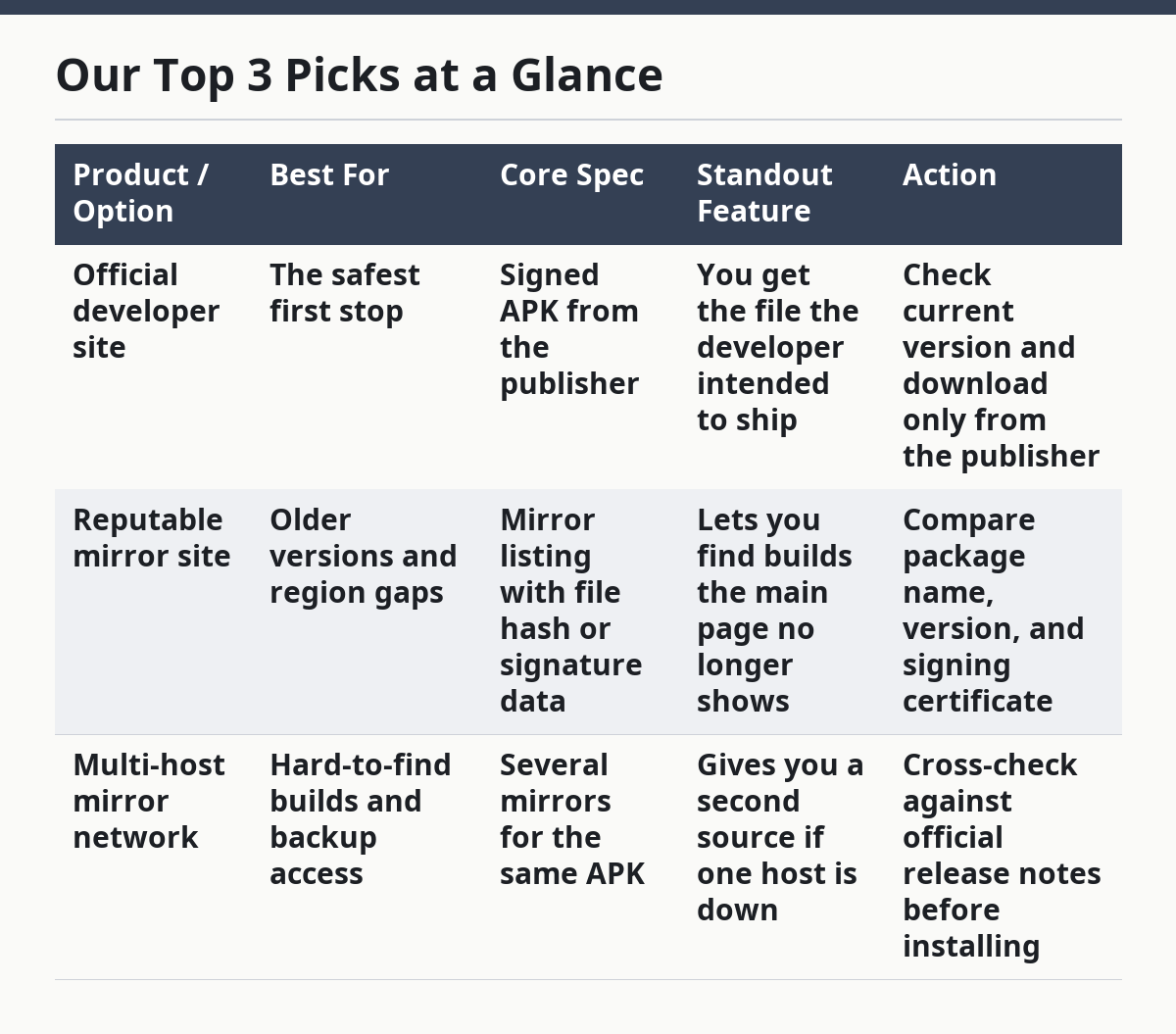
Our Top 3 Picks at a Glance
- #1 Best Overall: Official developer site or official store page
- #2 Best Budget Pick: Reputable mirror with published version history and checksum
- #3 Best Heavy-Duty / Upgrade Pick: Mirror network with multiple hosts, signature checks, and archive access
| Product / Option | Best For | Core Spec | Standout Feature | Action |
|---|---|---|---|---|
| Official developer site | The safest first stop | Signed APK from the publisher | You get the file the developer intended to ship | Check current version and download only from the publisher |
| Reputable mirror site | Older versions and region gaps | Mirror listing with file hash or signature data | Lets you find builds the main page no longer shows | Compare package name, version, and signing certificate |
| Multi-host mirror network | Hard-to-find builds and backup access | Several mirrors for the same APK | Gives you a second source if one host is down | Cross-check against official release notes before installing |
The one question this guide answers
This guide answers where to find an APK and how to tell a trustworthy mirror from a copy that could waste your time or worse. It is built for the person who has already found an APK name and now needs the safest source, not a general Android primer.
A browser tab is open. Your next move should be source verification, not blind downloading. That means checking the publisher, the package name, the signature, and whether the mirror shows the same file details as the original listing. The rest of this page gives you the decision path.
Start with the official source, then branch out
The official developer site wins for anyone who just needs the current build and does not want to play detective. If the publisher offers the APK directly, that is the cleanest path because the file, the changelog, and the signing key all come from the same place.
However, the official site is not always enough. Some developers only post on app stores, some region-lock downloads, and some remove old builds after a bad release. That is where mirrors enter the picture.
- Use the official site if the APK is still posted there.
- Use a mirror only if you need an older version, a backup host, or a region-available copy.
- Skip any source that does not show the package name, version code, and signing details.
For a quick source check, compare these four items before you tap download:
- The app’s package name, such as
com.example.app - The version name and version code
- The signing certificate or signature hash
- The file size or checksum, if the source provides one
What makes a mirror worth trusting?
A good mirror tells you enough to verify the file without guessing. That usually means a visible version history, a matching package name, a file hash or signature fingerprint, and a change log that lines up with the developer’s release notes.
On the flip side, a weak mirror often hides the most useful details. It may show only a download button, a misleading app name, and a few ads around a file with no hash. That is not a mirror you should trust just because it ranks high in search results. Search rank is not proof.
Look for these mirror signals instead:
- The same package name as the official listing
- A version number that matches the release notes
- A visible hash, checksum, or signature field
- Upload dates that make sense for the release
- A history page that shows older builds, not just one file
A mirror that lacks all of that is not “simple.” It is blind.
How to discover mirrors without getting fooled
You can find mirrors quickly if you start from the app’s exact package name and the developer’s own release page. Search the package name plus the version number, then compare the same file across two or three sources before you download anything.
Because the safest mirror discovery process is boring, it works best when you treat every result as untrusted until the metadata lines up. That is also where a caution is appropriate: if you are unsure, consult a professional or another qualified source before installing anything on a device you rely on.
- Search the package name, not a marketing title.
- Check whether the mirror lists the exact version code.
- Confirm the signing certificate or SHA-256 hash, if shown.
- Avoid pages that bundle the APK with “cleaner,” “booster,” or “installer” extras.
Two authoritative references help here: the Android Developers documentation on app signing and the OWASP Mobile Application Security Verification Standard. Both are worth checking when a source claims a file is genuine but gives you no proof.
APKMirror, APKPure, and similar sites: what they do well and where they fall short
Reputable third-party APK sites can be useful, but they are still second-hand sources. That means they are best treated as verification-friendly mirrors, not as the original publisher. The value is in the metadata, the archive depth, and the ability to find older builds.
APKMirror-style sites are strongest when you need a version that the developer no longer hosts. They often preserve multiple releases and make it easier to compare version codes. That matters when a new update breaks a feature and you need to roll back.
The weakness is simple: a mirror can only be as trustworthy as its curation and its checks. If the page does not clearly show signature verification, package identity, and file history, the source is weaker than it looks.
- Strong point: older versions are easier to find.
- Strong point: version history can expose fake or mismatched uploads.
- Weak point: you still need to verify the certificate yourself.
- Weak point: ads and clone pages can lead you to the wrong file.
Who Should Skip This: People who want zero verification work should skip mirror sites and use only the official developer source or the Play Store listing.
Buy this if: you need an older build and you can compare package names, hashes, and signing details.
Skip this if: you want one-click certainty and won’t check any file metadata.
Official site vs mirror: the real difference in practice
The official site wins on trust, while a mirror wins on access. That is the whole trade-off. If you need the exact build the publisher wants you to use, the official source is the better fit. If you need an archived version or a download path that still works in your region, a mirror can solve the problem faster.
| Criteria | Official site | Mirror site | Winner for [condition] |
|---|---|---|---|
| File origin | Direct from publisher | Rehosted copy | Official site for trust |
| Old versions | Often limited | Usually broader | Mirror site for rollback |
| Signing certainty | Highest if posted by developer | Must be checked | Official site for first-time installs |
| Metadata quality | Usually clean | Varies by host | Official site when details matter |
| Availability | Can be region-limited | Multiple hosts may remain up | Mirror site when the main site is blocked |
| Risk of clones | Lower | Higher | Official site on a new app search |
| Speed of finding a build | Sometimes slower | Often faster | Mirror site for archived versions |
| Ad noise | Usually lower | Often higher | Official site for a cleaner path |
| Need for user checking | Lower | Higher | Official site for casual users |
The key point is not that mirrors are bad. It is that mirrors shift the work from “find the file” to “prove the file is the right one.” That is a real difference, and it decides the whole search.
How do I know an APK mirror is safe?
A safe APK mirror shows enough evidence to match the file to the original app. At minimum, the package name, version, and signing certificate should line up with the official source or a known release record.
The answer is not a magic badge. There is no universal “safe mirror” stamp. Instead, you should check a few concrete items every time:
- Does the package name match exactly?
- Does the version code match the developer’s release notes?
- Does the signature fingerprint stay the same across releases from the same publisher?
- Does the mirror show a checksum or file hash?
- Does the page avoid bundling extra installers?
A mirror can look polished and still be wrong. A plain page with solid metadata is usually the better sign.
The warning signs that matter most
A bad source usually gives itself away in the first 10 seconds. If the page hides the version, changes the package name, or pushes a separate “downloader” app, stop there.
The biggest red flags are boring but serious:
- A file name that does not match the app name
- A package name that differs from the official release
- No signature, checksum, or hash
- Pop-ups that push another installer
- A download button that links through several unrelated domains
- “Mod,” “cracked,” or “premium opened” in the title
A modded APK is not the same thing as a mirror copy. That distinction matters. One is a repackaged file with changed code, and the other should be the same signed app from another host. If you care about integrity, stay away from modified builds.
The best way to verify a download before installing it
The safest workflow is simple: compare the source page, verify the signature, then install only if the file details match. If the mirror offers a checksum, use it. If it does not, compare the package name and the signing certificate against a trusted source.
Picture this: you’ve found the APK on two sites, and both claim it is the same build. You don’t need to guess which one is right. You can line up the version code, the app package, and the signing fingerprint in a minute or two.
- Step 1: Confirm the app’s official package name.
- Step 2: Compare the version code across sources.
- Step 3: Check whether the signature fingerprint matches known releases.
- Step 4: Avoid any file that asks for extra installer apps.
- Step 5: Scan the file with your device security tools before installing.
This is not paranoia. It is basic source control for Android files.
When to stop looking and pick a different source
You should stop hunting mirrors when the app is easy to get from the official publisher or from the Play Store, when the mirror pages disagree on version details, or when the only available copy is a modified build.
The truth is, mirror searching has a cost. Every extra site adds another chance to click the wrong file. That is fine when you need an old version and know exactly what to check. It is a bad trade when you just want a current, ordinary app.
- Use the official source if the current version is available.
- Use a mirror if the official source removed the build or blocks your region.
- Quit if every listing looks inconsistent or asks you to trust an unknown installer.
Two sources worth knowing by name are the Android Developers documentation and OWASP MASVS. They are not mirror directories, but they help define what “real” and “verifiable” should look like.
The verdict: which source should you choose?
Choose the official developer site if the current APK is available and you want the lowest-risk path. Choose a reputable mirror if you need an archived version, a backup host, or a build the publisher no longer posts. Neither if the file is modified, the package name changes, or the page refuses to show version and signature details.
That is the clean call. If you only remember one rule, make it this: download first from the publisher, and trust a mirror only after the file identity checks out.
What about version history and old builds?
Version history is the main reason mirrors exist for APK hunting. A solid mirror archive helps when a new update breaks a feature, changes an interface, or introduces a device bug that the developer has not fixed yet.
That said, older versions are not automatically better. They may miss security fixes, compatibility updates, or permission changes. The safer use is narrow: a rollback for a specific problem, not a permanent downgrade habit.
- Good use: restoring a working version after a bad update
- Good use: matching a build to an older Android device
- Bad use: staying on an old release without a reason
- Bad use: grabbing an archived file because it is “faster”
A mirror archive is useful. It is not a substitute for a maintained app source.
Can I trust search results to find a real mirror?
No, search results alone are not enough to prove a mirror is real. A page can rank well because it is old, popular, or heavily linked, not because its APK is the right one.
That is why the package name and signature matter more than the search position. The first result might be right, but it still needs proof. The second or third result might actually have better metadata and a cleaner file history.
- Search rank is a lead, not evidence.
- The package name is evidence.
- The signing certificate is evidence.
- The checksum is evidence.
If a source cannot supply evidence, it should not get your download.
FAQ
What is the safest place to download an APK?
The safest place is the official developer source or the official app store listing. That gives you the best chance of matching the publisher’s signing key and avoiding a repackaged file.
How do I find APK mirrors for an app?
Start with the exact package name and version number, then compare the same file across known mirror sites and the official release notes. A real mirror will usually show version history, file details, and some form of integrity check.
Is APKMirror always safe?
No source is “always safe.” A reputable mirror can still host the wrong build if the metadata is weak or if you grab the wrong file variant. Check the package name, version code, and signing details every time.
Should I download a modded APK instead of a mirror copy?
No. A modded APK is a changed file, not a mirror copy, and it carries a much higher trust problem. If you need the original app, stick to the official source or a verified mirror.
What should I check before installing an APK?
Check the package name, version code, signing certificate, and any checksum the source provides. If those details do not match across trusted sources, do not install it.
Drafted with AI; not yet reviewed by a person.