Last updated: September 10, 2026
Key Takeaways
- Verify that the app opens, updates properly, and acts the way it should over 10 to 15 minutes.
- SHA-256 is a common integrity-check standard from NIST, and it is practical for comparing files.
- When the developer supplies SHA-256 or SHA-1, copy it exactly and compare it with the file you downloaded using a checksum tool.
- Usually, that takes about 5 to 15 minutes for a straightforward file; obscure sources or sensitive apps take longer. Unsure? Consult a professional and use a trusted source such as NIST’s hash guidance or the developer’s own release notes.
APK download safety legality — complete guide: APK downloads can be safe and legal in some cases, risky in plenty of others, and flat-out wrong when they dodge paid access or device security. Short version: download an APK only when you can name the publisher, confirm the file source, and make sure the app is allowed in your country, on your device, and under its license. For the APK download safety legality — complete guide, that means checking the file, the publisher, and the legal path before you install anything.
Who this guide is for — and who should do something else

This APK download safety legality — complete guide is for Android users who want to install an app from outside Google Play without guessing, and for anyone trying to decide whether a specific APK is worth the risk. It assumes you already know the basics of Android, can open Settings, and can tell the difference between an app name and a file name like app-release.apk. It also assumes you understand that “free to download” is not the same thing as “free to redistribute.”
I’m writing for the person who has a real reason: a regional app missing from the Play Store, an older version needed for compatibility, or an app distributed directly by its developer. I’m not writing for someone trying to bypass payment, regional restrictions, or malware protections. If that’s the goal, the answer is no. End of story.
The legal and safety stakes here are real. APK files are just Android application packages; they are not inherently malicious, but they are also not automatically trustworthy. A file can be perfectly valid and still violate a license agreement. A file can be legally shared and still carry malware. Different questions. Different checks.
This is also not the right path if you manage a work phone enrolled in MDM (mobile device management), a child’s device with tight parental controls, or a phone that handles banking, tax, or health data and is already showing signs of compromise. In those cases, sideloading an APK can create a problem you do not want to solve yourself. A device with 2-factor authentication apps, password managers, or work profiles deserves a stricter standard than a spare test phone — honestly, that trade-off is worth naming.
If you just need to know whether a particular APK is safe and legal, the rest of this article is the checklist I would use: identify the source, verify the signature or package details when possible, check the permissions, understand the legal right to distribute the app, and install only when the benefit outweighs the risk.
What is an APK, and why does the source matter so much?
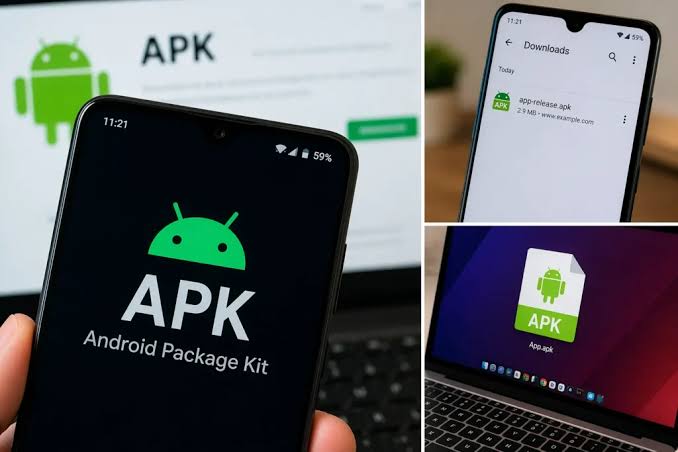
An APK is the installable package Android uses for apps, similar to an .exe on Windows or a .pkg on macOS, but with Android-specific metadata, code, and resources bundled together. That matters because the package is what the phone installs, not just a description of the app. If the APK has been altered, repackaged, or signed by a different key, it is no longer the same software the developer released.
Why care so much about the source? Because Android does not treat every APK equally, and when the origin is fuzzy, you should consult a professional or the publisher’s documentation. An APK from the Play Store goes through Google’s distribution path and signing rules. An APK from a developer’s website, GitHub release page, or a reputable app repository can still be legitimate, but you lose some of the Store’s guardrails. A random mirror is another animal entirely. A site that rehosts files without clear publisher identity creates two problems at once: you may get a tampered file, and you may have no idea whether the upload itself was authorized.
There are three terms I want to define early. Sideloading means installing an app from outside the Play Store. App signing certificate means the cryptographic key the developer uses to prove the package came from them and has not been changed since signing. Hash means a fingerprint of the file, such as SHA-256, which you can compare against a value published by the developer to see whether the file matches exactly. SHA-256 is a common integrity-check standard from NIST, and it is practical for comparing files.
The safety question is not “Is APK bad?” It is “Can I trace this file back to a publisher I trust, and can I tell whether the file was altered after release?” If you cannot answer those two questions, you are guessing. And guessing is exactly what malware authors bank on.
How do I check if an APK download is safe?
An APK download is safe only after I can identify the publisher, verify the file path, and rule out obvious tampering before installation. I’d treat safety as a sequence of checks, not a hunch, because the dangerous part is often what looks ordinary; if you are unsure, consult a professional or a trusted security source.
- Confirm the publisher’s identity. Open the developer’s official site, official GitHub repository, or the app’s Play Store listing and compare the name exactly. Verify the domain spelling character by character and look for a matching contact page or project page. What to verify: the app name, developer name, and the domain must all line up. What indicates a problem: a nearly identical domain, a missing developer name, or a page that only hosts a download button and nothing else.
- Check the file name and version string. A legitimate file often includes a version number such as `1.4.2` or a build number in the release notes. Compare the filename against the published release notes. What to verify: the version in the release page and the APK file should match, or at least be explainable. What indicates a problem: a generic file name like `download.apk`, a version that does not appear in the changelog, or a “mod” label that the developer never used.
- Look for a published hash. When the developer provides SHA-256 or SHA-1, copy the value exactly and compare it with the file you downloaded using a checksum tool. What to verify: the hash from the site and the hash of the file are identical. What indicates a problem: any mismatch, or no hash published at all for a software project that normally publishes one.
- Review the requested permissions before install. Permissions show up in the Android install prompt and later in Settings. A flashlight app asking for SMS access is a bad sign; a file manager asking for storage access is normal. What to verify: the permissions fit the job of the app. What indicates a problem: access to accessibility services, device admin, SMS, call logs, or notification access without a clear reason.
- Check the app’s signature or installer details after installation in a test environment. On Android, package manager details or a trusted analysis tool can show signing information and package name. What to verify: the package name matches the published app, and the signing lineage is consistent across updates when the developer uses the same key. What indicates a problem: a package name that imitates a popular app, or a signature that changes unexpectedly between releases.
- Scan the file with a current security tool. A mobile antivirus app or a multi-engine scanner can catch known bad behavior, though it is not proof of safety. What to verify: no known malware detections, and no flags for a packed or obfuscated binary from an unknown source. What indicates a problem: multiple reputable detections, especially for trojans, spyware, or hidden dropper behavior.
- Install first on a low-risk device if possible. If the app is new to you, use a spare device or a secondary profile rather than your main phone. What to verify: the app launches, updates correctly, and behaves as described over 10 to 15 minutes. What indicates a problem: crashes on startup, prompt loops for unnecessary permissions, or unexpected network requests before any real use.
- Watch for post-install behavior. Check battery use, data use, and background activity after the first launch. What to verify: the app behaves like its category predicts. What indicates a problem: persistent background traffic, aggressive notification prompts, or an immediate push to grant broad access to the device.
A safe APK is not one that “seems fine.” It is one that survives a chain of small checks. If you can only do one thing, make it the source check. If you can do two, add the hash. If you can do three, add permissions. That already filters out many downloads people later regret, without pretending it catches every bad file.
Is it legal to download APK files?
It is legal to download some APK files, but legality depends on copyright, license terms, regional distribution rules, and what you do with the file after you get it. I wouldn’t treat “APK” as a legal category; it is just a file format.
A developer can legally distribute an APK directly. Open-source projects do this all the time, and many commercial vendors distribute beta builds or enterprise installers outside Google Play. In those cases, the file is usually legal to download if the publisher has the right to distribute it and you are within the license terms. That may still include restrictions on reverse engineering, redistribution, or commercial use. A license can allow installation while forbidding repackaging or public mirroring.
The legal trouble starts when the APK is a copy of a paid app, a modified build, or a rehosted package that the developer never authorized. That can implicate copyright law, trademark misuse, and breach of terms of service. It can also create contract issues if the app is tied to a subscription, a device license, or a service agreement. I cannot give you legal advice for your jurisdiction, but I can give a practical rule: if the file gives you access to software you were supposed to pay for, or removes ads, locks, or subscription checks, the legal risk goes up sharply.
Regional availability is another gray area. An app may be absent from the Play Store in one country for regulatory, commercial, or licensing reasons. Downloading a direct APK is not automatically illegal, but it may violate the developer’s distribution policy or the service’s terms. That matters because some services use account-based access, not just file-based access, and they can still ban accounts or block service even when the APK itself installs.
The safest legal pattern is simple: get APKs from the publisher or an authorized distribution channel, keep the file unmodified, and use it only as allowed by the license. If you are trying to bypass a paywall, region lock, DRM, or device restriction, I would not frame that as “just downloading an APK.” It is a different act with different consequences. For more on licensing and distribution, see the Android Developers documentation and the relevant terms from the publisher; for copyright basics, consult a legal professional if the use case is commercial or disputed.
What should I check before I install one?
Before I install an APK, I check the publisher, the package name, the permissions, the version history, and the update path. Usually, that takes about 5 to 15 minutes when the file is straightforward, and longer when the source is obscure or the app is sensitive.
Start with the package name. Android identifies apps by package name, such as com.example.app, not by the friendly title shown on the icon. A malicious copy can borrow the name and icon of a popular app while using a different package name. So the title by itself tells you almost nothing.
Next comes the install source. On Android 8 and later, you grant permission to install unknown apps on a per-app basis, not globally in the same way older versions did. That setting should be enabled only for the specific app you use to open the APK, such as your browser or file manager. If a random app is asking for broad installation permission, stop there.
Third, check whether the developer publishes release notes, hashes, or signatures. A legitimate project usually leaves breadcrumbs. Sparse or missing documentation is not proof of danger, but it does raise the cost of trusting the file. For open-source software, I would also look for a repository history and release tags that correspond to the APK version. A lone file upload with no code, no tags, and no issue tracker is much harder to trust. If you are comparing release pages, the Android Developers guidance on app signing and installs is the right reference.
Then look at permissions. Android permissions are not all equal. Storage access may be expected for a file app; accessibility service access, notification access, SMS access, call log access, and overlay permissions are much more sensitive. One permission that often deserves extra skepticism is Accessibility Services. It is a legitimate Android feature used for assistive functions, but malware sometimes abuses it to read screens or automate taps. If the app category does not need that level of control, I would question it.
Finally, check the update path. A clean APK can become a problem later if the app updates from an untrusted source. If you cannot verify future updates from the same publisher, you may be safer avoiding the app entirely. A one-time install is not the end of the security question.
What if the APK looks legitimate but still makes me uneasy?
If the APK looks legitimate but still makes me uneasy, I would delay installation, move it to a low-risk device, or refuse it entirely. Unease is not a technical metric, but in security work it is often your brain noticing a missing piece before you can name it.
There are specific situations where I would stop immediately:
The file comes from a mirror with no clear publisher: that means you cannot prove where it originated — do not install it, and look for an official release page instead.
The APK is a “mod,” “cracked,” “premium unlocked,” or “patched” build: that usually means unauthorized changes and a high malware risk — do not use it, even if other users praise it.
The app asks for Accessibility, SMS, or device admin rights without a narrow reason: those permissions can be abused to control the device — refuse the install unless the publisher can explain the need in plain language.
The file hash does not match the publisher’s hash: the file has been altered or the source is wrong — delete it and redownload from a verified source.
The app is a banking, password, payments, or authenticator tool and the source is not the official publisher path: the consequence of a bad install is account theft or financial loss — only use the official channel for that category.
The APK is meant to bypass a region lock, subscription, or license check: the legal risk rises and the integrity of the file is unclear — stop and use the legal access method instead.
The phone already shows compromise symptoms such as unknown accessibility services, battery drain tied to a recent install, or unexplained data use: a new APK can make a bad situation worse — remove the suspect app first and treat the device as untrusted.
These are not abstract warnings. They are the points where the file stops being a convenience and starts becoming a liability. If the app matters enough that a bad install would cost you credentials, money, or work access, then the standard should be near-zero trust. In that case, I’d rather use the official store, a web app, or a desktop alternative than gamble on an APK.
The mistakes people actually make, and what they cost
The biggest mistake is trusting the download page instead of the publisher. A polished page can still host a repacked file. The cost is usually malware, but it can also be account compromise if the app captures credentials or intercepts notifications. The correct alternative is to start with the developer’s official site or official repository, then cross-check the release there.
A second mistake is installing from a search result that merely says “official APK.” That phrase is marketing, not proof. The cost is downloading from a clone site that names itself after the original developer. The correct alternative is to verify the domain and the package name, not the headline text.
A third mistake is ignoring permissions because “every app asks for something.” That line of thinking gets people into trouble with accessibility access, SMS, call logs, and overlay permissions. The cost can be spyware behavior or silent transaction approval. The correct alternative is to ask whether the permission matches the app’s function in a narrow, technical sense.
A fourth mistake is using modded APKs for paid apps. People do this to save money, but the cost is often hidden ads, tracking, trojans, or a device that starts misbehaving after a few days. The correct alternative is to use the free tier, a trial, or a lower-cost legitimate plan.
A fifth mistake is keeping old APKs around and reinstalling them months later. Software age matters. A package from a year ago may contain known vulnerabilities that the developer has already fixed. The cost is running outdated code with public exploit knowledge. The correct alternative is to check the release date and update notes before reinstalling anything.
A sixth mistake is assuming a successful install means the file was safe. A malicious app can work normally at first and only later request dangerous permissions or receive a remote configuration. The cost is delayed detection. The correct alternative is to monitor data use, battery use, and permission changes for the first 24 to 48 hours.
When the usual advice does not apply
The usual advice changes when the app is a system tool, a work app, a beta build, or a package meant for a specific architecture. I’d treat those as edge cases, not exceptions to ignore.
If the app is a system-level utility, such as a launcher, VPN client, device manager, or security tool, I would be stricter about permissions and signatures. Those apps sit close to the operating system and often request broad control by design. A legitimate VPN, for example, needs the system VPN permission; that is normal. A note app asking for it is not. The technical term here is attack surface, meaning the number of places an app can be abused or can fail. System apps have a larger attack surface, so they deserve more scrutiny.
If the APK is a beta or release-candidate build,