Author: Admin

  • How to Find a Safe Alternative to a Mod APK on Android

    How to Find a Safe Alternative to a Mod APK on Android

    Last updated: September 10, 2026

    Key Takeaways

    • SHA-256 is the common checksum format.
    • This process usually takes 10 to 20 minutes if you already know the app category.
    • Focus on repeated complaints about billing, login failures, crashes on Android 14 or Android 15, or missing features after an update.
    • On Android 14 and Android 15, permission behavior, background limits, and media access rules can change enough to break older apps.

    Want unlocked features, fewer ads, or faster updates? The safe alternative for how find safe alternative mod apk on android is usually the legitimate app from the Play Store, the developer’s own site, or an open-source app with the same job. Use that route, not a repackaged file that could break your phone, steal tokens, or leave you stuck with something you can’t verify.

    Who this is for — and who should do something else

    How to Find a Safe Alternative to a Mod APK on Android

    Android users who were about to install a modded APK are the main audience here — usually because the official app feels too limited, too expensive, blocked by region, or packed with ads. It also fits if you already have a file ending in .apk and want a safer path before tapping install. I’m assuming you already know how to install an app from the Play Store and can read an app listing closely enough to compare permissions, publisher names, and update dates.

    A safe alternative is not some fuzzy “similar app.” It is one of three things: the official app with a legitimate account tier, a different app that does the same task without modification, or a version published by the developer through a trusted channel such as Google Play, the Amazon Appstore, F-Droid, or the developer’s own website. F-Droid is the open-source app catalog many Android users use when they want source-available software and a reproducible build process; that term means the app can be rebuilt from published source code and should match the distributed binary. For background on Android app signing and package verification, see Google’s Android security documentation. Android Developers

    This path is for people who want to keep Android’s normal security model intact. It is not for anyone trying to bypass paid features, license checks, or anti-tamper systems. I’m saying that plainly because those are exactly the places where modded APKs create the biggest risk. A mod often has to patch signature checks, remove ads SDK calls, or alter network requests. Once code has been changed, you no longer have any easy way to know what else was touched. Bits of unknown code. Bad idea.

    If the app is tied to a bank, a password manager, a payment wallet, a corporate login, or a work profile, do not look for a modded substitute at all. Use the official app or ask the service owner what Android build they support. For anything that touches money, identity, or credentials, “close enough” is a bad standard.

    What is the safe alternative to a Mod APK on Android?

    The safe alternative is an unmodified app from a source you can verify, plus a feature trade-off you can live with. Usually that means the Play Store version, a subscription or one-time purchase from the developer, or a different app that does the same job with less risk.

    People often chase the modified package because it looks like a shortcut. The real problem is that a Mod APK is a repackaged Android application package. On Android, an APK is the install file; once it is modified, its signature changes, and the code inside may no longer match what the original developer signed. That is not a tiny detail. Android uses app signatures to decide whether an update is genuine and to protect app identity. A mod can keep the same icon and name while hiding a different binary.

    I would start with a simple question: what exact feature are you trying to get? “Premium unlocked” is too vague. You need the real job, such as:
    – remove ads
    – export a file in a certain format
    – use the app offline
    – unlock a larger cloud limit
    – access a specific filter, tool, or codec

    Once you know the job, look for a legitimate route that offers it. Often the safer alternative is not free, and that is the trade-off. A developer-supported app may cost a monthly fee, may show a smaller feature set on the free tier, or may require account creation. That is still usually better than handing over device access to a repackaged binary from an unknown mirror site.

    If you want a rule of thumb, I use this one: if the app depends on logins, payments, messages, files, location, or contacts, I would not treat a mod as an option without checking the official listing or asking a qualified professional. If it is a throwaway tool with no account and no sensitive data, the risk is lower but still real. For platform-specific safety guidance, consult Google’s Play Protect and Android security guidance. Google Play Protect

    How do I check whether an Android app source is trustworthy?

    How to Find a Safe Alternative to a Mod APK on Android

    Check the publisher, the distribution channel, the update trail, the permissions, and the code path before you install anything. Usually, the safest source is the official store listing from the developer you can name, not a site that just happens to host the same APK filename.

    Start with the publisher name. On Google Play, tap the developer name and look for a consistent brand, a support email on the same domain as the company, and a privacy policy that matches the app’s purpose. If a flashlight app wants your contacts or a PDF reader wants SMS access, that is an immediate warning. Android permissions should fit the app’s job. A map app needing location is normal; a calculator asking for accessibility access is not.

    Next, look at the distribution path. The Play Store uses Google’s package verification and signing checks. F-Droid publishes apps from source and flags reproducible builds when available. The developer’s own site can be fine if it links directly to the same company you can verify elsewhere, with HTTPS and a clear support identity. A random APK mirror is a much weaker signal. A mirror can be useful for archiving, but it is not where I would start if safety matters.

    Then check the update trail. A legitimate app usually has release notes, a stable version history, and a support page. A mod often has none of that, or it copies a changelog from the original app while offering “unlocked” extras. That mismatch is a clue.

    If the app exposes hashes or signatures, compare them. SHA-256 is the common checksum format. A checksum is a short fingerprint of the file; if it differs from the developer’s published value, the file has changed. Do not trust a checksum posted on the same site as a suspicious APK unless the checksum is also linked from a second source you trust. NIST describes SHA-256 in its Secure Hash Standard. NIST FIPS 180-4

    I also look at the installation method. If a site tells you to enable “unknown sources” permanently, that is a smell. Android can allow sideloading for a single package or browser, but leaving the setting open all the time widens your attack surface. A one-time sideload from a trusted developer is not the same thing as installing whatever file a download page offers.

    How to find a safe replacement without losing the feature you wanted

    Start with the feature, then search the app category, then compare the payment model, and only then decide whether the compromise is worth it. That order keeps you from buying the wrong app or installing a fake clone.

    1. Write the exact job down in one sentence. Use a concrete need such as “export 1080p video without a watermark” or “sync notes across 2 devices.” Verify that the sentence names the feature, not the app. Vague wording is the trap here; if you write “better editing,” you will end up with a different app that still misses the mark.
    2. Check the official app first. Search the developer name plus the app name in Google Play, the Amazon Appstore, or the developer’s site. Verify the publisher identity, the version history, and the last update. A look-alike app with a similar icon but a different publisher is the problem here.
    3. Look for a lawful feature path. Check whether the feature sits behind a free trial, a one-time purchase, a subscription, or an education/creator tier. Verify the terms before you assume the feature is gone. Sometimes the feature is simply gated, not missing.
    4. Search for open-source substitutes. Use F-Droid, GitHub, GitLab, or the developer’s project page for apps in the same category. Verify that the project is active, the issue tracker is not abandoned, and the license is open. Do not confuse “source available” marketing with a real open-source license.
    5. Compare permissions against the job. Check the Android permission list after opening the listing. A photo editor should not need call logs; a note app should not need microphone access unless it has audio notes. Overbroad access can expose more of your device than the app needs.
    6. Look for export and lock-in details. Verify whether the app can export data in CSV, PDF, ZIP, .txt, or another standard format. That matters because a safe alternative should not trap your data. Later, you do not want to find out you can’t leave without losing your files or settings.
    7. Read one screen of recent reviews, then ignore the hype. Focus on repeated complaints about billing, login failures, crashes on Android 14 or Android 15, or missing features after an update. Verify whether the complaint is about the free tier or the paid tier. An app-store star rating is not proof of safety; it is just a clue, so verify with the publisher or a qualified professional before you rely on it. For review guidance, compare that with Google Play’s own policy pages and developer help. [Google Play Policies](https://support.google.com/googleplay/android-developer/topic/9877466)
    8. Install only from the source you can defend. If you choose the Play Store or F-Droid, install from the store app itself. If you choose the developer’s site, confirm the domain, HTTPS, and file name before downloading. Downloading the right file from the wrong place is still a problem.

    This process usually takes 10 to 20 minutes if you already know the app category. If you are comparing privacy tools, productivity apps, or media apps, expect longer. The point is not to find a perfect replacement. It is to find the least risky option that still does the job.

    What should I check before I install anything?

    Check the publisher, signature path, permissions, update age, and data handling before you install. Those five checks catch most of the bad substitutes people pick when they are trying to avoid a Mod APK.

    The publisher should be a real organization or developer identity you can trace. A support email on a throwaway domain is weak. A named company with a domain that matches the listing is stronger. The app should also have a plausible privacy policy. If the policy reads like copy-paste boilerplate and the app is asking for broad access, that is a sign to stop.

    Next, examine the package source. Android app packages are signed by the developer. If the app is distributed through the Play Store, that signature is part of the trust chain. If you are sideloading, you lose some of that convenience and must do more manual checking. I would only sideload from a developer I can identify clearly, or from a respected project like F-Droid where the build process is documented.

    Check the permissions against the task. A music player needs storage or media access; it does not need your call history. A file manager may need broad file access on older Android versions, but on newer versions it should still behave within scoped storage rules. If a single-purpose app wants Accessibility Service, Device Admin, or notification access, ask why. Those are high-value permissions because they can observe or control more of the device than casual apps should.

    Data handling matters too. Look for how the app syncs, whether it uses your own cloud account, and whether it supports local-only use. If the app stores sensitive data, prefer one with export and backup tools. A safe alternative is not just “not malicious”; it should also let you leave if the app changes direction later.

    Finally, check update cadence in a practical sense. An app that has not been updated for 18 months may still be fine if it is stable, but it is a poor choice for anything that must track Android OS changes closely. On Android 14 and Android 15, permission behavior, background limits, and media access rules can change enough to break older apps. If the app’s last update is ancient and the reviews mention recent Android versions failing, keep looking.

    When should I stop and choose a different option?

    Stop when the app asks for access it does not need, when the source identity is unclear, when the only version available is a repackaged APK, when the app handles sensitive data, or when the replacement would break the one feature you actually need.

    The only “alternative” is another modded APK: this means you have not found a safe path — do not install it, and look for the official app, a paid tier, or a different product.

    The app asks for accessibility, SMS, or device-admin access for no clear reason: this can expose control over your device — stop and choose an app that fits the permission model better.

    The publisher cannot be traced to a real site or support channel: this means you cannot verify who built it — do not sideload it.

    The app is for banking, passwords, payments, or identity: this is sensitive data territory — use only the official app from a trusted store or the service’s own instructions.

    The replacement blocks export or export costs are higher than the original problem: this means you may be trading a mod risk for lock-in — pick a tool with CSV, PDF, or standard file support instead.

    The app is abandoned and the last support sign is older than about 12 months: that often means it will age badly on current Android releases — find an actively maintained option.

    For these cases, the consequence of forcing the install is not just annoyance. It can mean broken updates, data loss, account lockouts, or a device that keeps asking for dangerous permissions. The right move is to step back and choose a different category of app, not a different mirror.

    The mistakes people make when they switch from a Mod APK

    The biggest mistake is treating “not a mod” as the same thing as “safe.” It is not. A fake clone from an APK site can be unmodified in a technical sense and still be a bad install because the source is untrustworthy. The correct alternative is an app with a source you can defend.

    Another common error is installing an app just because it has the same name. Search results often show look-alikes with nearly identical icons. The consequence is simple: you may hand your

  • Is It Legal to Download APK Files? What Android Users Need to Know

    Is It Legal to Download APK Files? What Android Users Need to Know

    Last updated: September 10, 2026

    Key Takeaways

    • A checksum, such as SHA-256, is a useful fingerprint of a file.
    • The better alternative is to compare the app’s signing information or SHA-256 checksum with the publisher’s official value, if provided.
    • Copyright is the basic right in the software itself.
    • License terms are the conditions the developer attaches to use or redistribution.

    Yes, an APK file can be downloaded legally, but is it legal to download APK files? what Android users need know depends on where you are, what file you are downloading, and what you do with it. I’m speaking generally here, not handing out legal advice, and a qualified lawyer should be consulted for your specific situation. Android users who want to install an app outside the Play Store usually face a sharper question than “APK or no APK?” — it is “Do I have the legal right to copy, download, and install this particular app in this particular country?”

    Who this applies to, and what you need to know first

    Is It Legal to Download APK Files? What Android Users Need to Know

    Android users who already know what an APK is are the audience here: an Android Package Kit, which is the file format Android uses to install apps. It also covers people chasing an app that is not in Google Play, an older version, or a copy shared by a developer, distributor, or friend. Developer, yes; random file-hosting page, no. It does not assume you are a developer, but it does assume you can tell the difference between an app store, a developer’s website, and a random file-hosting page.

    Three legal layers show up in most jurisdictions: copyright, license terms, and sometimes anti-circumvention rules. Copyright is the basic right in the software itself. License terms are the conditions the developer attaches to use or redistribution. Anti-circumvention rules come up when a file has been modified to bypass technical protections or paid access. Those rules vary by country. A download that is plainly lawful in one place may be a breach of contract or copyright infringement in another.

    Usually, the safest general rule is simple: if the APK comes from the app’s developer, an authorized distributor, or a source the developer has clearly allowed, the legal risk is lower. A repackaged paid app, a cracked app, or a modded APK that removes ads or paid features is another story entirely. That bucket is often a dead giveaway for trouble; it can mix unauthorized copying with altered code, which is not a great cocktail for anyone.

    If your situation involves a workplace device, a school account, a regulated industry, or a country with strict digital copyright enforcement, stop treating this as a casual download question. Those settings can add policy rules on top of the law, so it is wise to consult a lawyer or compliance professional if the file matters to work or regulated data. For background, the U.S. Copyright Office and the EU’s copyright framework are common reference points, but local rules still control.

    Sometimes, yes — downloading APK files is legal, but the answer turns on authorization and jurisdiction, not on the file format itself. An APK is just a container; the law cares about the rights behind the app. A legitimate APK from a developer’s own site, a beta program, or a company-approved distribution channel can be fine. An APK copied from a paid app without permission is a different matter.

    Think of it this way: downloading an APK is usually legal when you have permission to receive that copy. Permission can come from an explicit license, from an official distribution channel, or from a lawful backup or enterprise deployment arrangement. No permission stated? Then it is safer to treat the file as legally uncertain and, if needed, consult a lawyer or other qualified professional. Without permission, the download may be unauthorized copying. In copyright terms, that is often the core problem, even before installation.

    There is another layer. Some countries allow broader personal-use exceptions than others, but those exceptions are not a free pass for software piracy. Software is often treated more strictly than music or video, though the exact rule depends on local law. “I only downloaded it for myself” does not wipe out infringement if the copy was unauthorized. The U.S. Copyright Office and the EU copyright framework both reflect that software copying is regulated separately from many other media. Small phrase, big consequence.

    If the APK is a cracked, patched, or “modded” version of a commercial app, I would not treat that as a gray area; for anyone unsure about the local law, it is best to consult a lawyer or other qualified professional before downloading. That is usually outside ordinary legal boundaries because the copy may be unauthorized and may also violate terms of service or anti-circumvention rules.

    For a general legal reference point, the U.S. Copyright Office and the European Union’s copyright framework are the kinds of sources lawyers use when discussing software copying rights, but the exact rule still depends on your country’s law and the app’s license.

    Which APK downloads are usually allowed, and which ones are risky?

    Is It Legal to Download APK Files? What Android Users Need to Know

    Official, authorized, or clearly licensed APK downloads are usually lower risk. The same file type gets dicey fast when the source is anonymous, the app is paid, or the APK has been altered. Legally, provenance is the whole ballgame here: where the file came from and who allowed that copy to exist.

    Here is a practical way to sort common cases:

    • Developer’s website or official GitHub release: often the cleanest route, especially for open-source or beta apps.
    • Google Play or another authorized store: usually lawful if the app is offered there for your region.
    • Corporate or school deployment: can be lawful if your organization licensed the app and gave you access.
    • Mirror sites and APK aggregators: legally uncertain unless they have explicit redistribution rights.
    • Modded APKs, cracked APKs, and “premium unlocked” builds: high risk and often unauthorized.
    • Old versions pulled from archives: sometimes lawful if the publisher made them available, risky if they did not.

    The difference is legal, not just moral. A developer can allow redistribution of one build and forbid another. Open-source apps may permit copying under licenses such as the GPL or Apache 2.0, but those licenses still have conditions. A proprietary app usually does not grant blanket permission to redistribute its installation files.

    One common mistake is assuming that if a file is easy to find, it is legal to download. That is not how copyright works. Another is assuming that because an APK is free, it is free to copy. Free to use and free to redistribute are not the same thing. Android’s own signing model also matters here: signatures help verify that a package came from the same publisher key, but they do not by themselves create a legal right to redistribute the file.

    How do I check whether an APK is legally safe to download?

    Start with the source, then the license, then the signature, and finally the local rules. That process does not give you a courtroom guarantee, but it will sort most everyday cases into “reasonable,” “uncertain,” and “do not touch.”

    1. Identify the publisher. Find the app developer’s exact name on the official website or store listing. Verify that the website domain matches the publisher’s brand and contact details. If the domain is unrelated, copied, or filled with ads, that is a red flag.
    2. Check whether redistribution is allowed. Look for a license page, terms of use, or release notes stating the APK is authorized for download. If it is open source, look for the specific license name, such as GPL or Apache 2.0. If no permission is stated, treat the file as legally uncertain and, if needed, consult a lawyer or other qualified professional.
    3. Confirm the package name and version. The package name is the app’s technical identifier, like com.example.app. Match it against the publisher’s official listing. If the package name is different from the official app, the file may be a clone or altered build.
    4. Check the signing certificate or checksum. A checksum, such as SHA-256, is a fingerprint of the file. Compare it with the value published by the developer, if one exists. If the checksum does not match, the file has changed and should be treated as suspect.
    5. Look for obvious modification markers. Words like “mod,” “crack,” “premium,” “pro unlocked,” or “no ads” usually signal unauthorized alteration. If the description promises paid features for free, the legal risk is obvious.
    6. Check your country’s basic software-copying rules. Rules vary by jurisdiction. If you are in the U.S., the EU, the UK, Canada, Australia, or another country with developed copyright law, the answer will still depend on local statutes and case law. If the app is tied to work, school, or public-sector use, there may also be policy restrictions, so consult counsel or a compliance professional if the choice could affect employment or regulated data.
    7. Review the installation source on Android 8.0 or later. Android requires browser- or app-specific permission to install unknown apps. That permission is a device setting, not legal permission. If you have to disable protections to install from a strange site, that is a security warning, not a legal defense.

    A good habit is to use the official publication page first and only download from a secondary source when the developer has explicitly endorsed it. A missing checksum, a vague uploader name, or a site that buries the publisher information in fine print should make you stop. Honestly, that is especially true if the app normally costs money.

    What happens if the APK is modded, cracked, or copied from a paid app?

    A modded, cracked, or copied paid APK is usually the highest-risk category, because it can involve unauthorized reproduction, distribution, and sometimes circumvention of access controls. “Circumvention” means bypassing a technical restriction the developer put in place, such as licensing checks, subscription gates, or anti-tamper features. That can trigger extra legal problems in some jurisdictions beyond ordinary copyright issues, so consult a lawyer or other qualified professional if you are unsure.

    Bluntly, if the APK exists because someone removed a paywall, stripped ads, changed analytics, or patched the app to bypass verification, the legal picture is usually bad. Even if you never upload or share the file, the download itself may still be part of an unauthorized copy chain. If the app was taken from a paid store listing and reposted elsewhere for free, I would treat that as outside safe territory.

    There is a narrower category that sometimes confuses people: legitimate patching by the developer. Developers do distribute updated APKs, test builds, and hotfixes outside stores. That can be lawful because the publisher authorized it. The difference is provenance. A developer build has release notes, version control, and a clear source. A cracked APK usually has none of that, or it hides it in plain sight.

    This is one place where “I’m only installing it, not selling it” does not solve the problem. Personal use can still involve unauthorized copying. Some countries treat that more strictly than people expect. And if the app includes games, streaming tools, or paid productivity software, the copyright holder may also have separate license terms that prohibit exactly this kind of use.

    For readers who need a practical rule: if the download description mentions unlocking paid features, skip it. If the file came from a forum thread, a Telegram channel, or a mirror with no publisher trail, skip it. If the app is central to your work or data security, do not gamble on a modified build.

    Stop when the APK’s source, license, or intended use is unclear enough that you would be guessing. That is the point where a general article stops helping and local legal advice starts mattering. Since this is general information and not legal advice, a qualified lawyer should be consulted when the app is tied to money, work, or cross-border distribution.

    The APK is for a paid app and the source is not the developer: this usually means unauthorized copying — do not download it and look for an authorized channel instead.

    The file is labeled “mod,” “crack,” or “premium unlocked”: this strongly suggests circumvention or infringement — stop before installing.

    You are downloading for a business, school, or government device: policy and licensing rules may apply even if personal use might be tolerated — check the organization’s software rules first.

    The APK comes from another country’s site and you do not know the local law: cross-border distribution can change the analysis — use an official source or ask counsel.

    The app handles payments, health, identity, or confidential data: security and licensing problems can overlap — do not rely on a random APK source.

    The publisher offers no checksum, signature, or release notes: you cannot verify integrity — treat the file as suspect and stop.

    Pushing ahead in these situations does not just risk a bad app. It can mean copyright exposure, contract issues, security compromise, or an organization’s policy violation. A lawyer will not be necessary for every APK, but these are the moments when guessing is a bad strategy.

    The mistakes people make with APK files

    People usually get into trouble by confusing convenience with authorization. The biggest errors are common, and each one has a different cost.

    1. Assuming “free download” means legal download. The consequence is unauthorized copying of a proprietary app. The correct choice is to look for an official free tier, trial, open-source equivalent, or developer-approved distribution.

    2. Trusting APK mirror sites without checking redistribution rights. The consequence is downloading a copy whose legality you cannot verify and whose integrity may be uncertain. The correct choice is to use the developer’s site or an authorized store.

    3. Installing modded APKs because they save money. The consequence can be infringement, contract breach, and possibly anti-circumvention issues. The correct choice is to use the legitimate version, even if that means a smaller feature set.

    4. Ignoring signatures and checksums. The consequence is not only legal uncertainty but also a higher chance of tampering. The better alternative is to compare the app’s signing information or SHA-256 checksum with the publisher’s official value, if provided.

    5. Treating a VPN or another country’s server as a legal shield. The consequence is false confidence. The better alternative is to check the laws that apply where you are and where the app is distributed.

    6. Using the APK on a work device without approval. The consequence can be a policy violation even if the file itself was otherwise lawful. The better alternative is to follow the employer’s or school’s software policy and install only approved builds.

    The pattern is simple: the more a file promises “extra” access, the more likely it is that somebody removed the right to distribute it. That is where readers get burned.

    What if the

  • What Is a Mod APK and Why Do People Search for It?

    What Is a Mod APK and Why Do People Search for It?

    Last updated: September 10, 2026

    Key Takeaways

    • Look for the minimum Android version, such as Android 8, 10, or 14.
    • Watch for update and login failures over the next 24 hours.
    • Is there an official alternative that solves most of the problem without the risk?
    • On Android 13 or Android 14, sideloading controls are tighter and more obvious than in older releases.

    A mod APK is a modified Android app package, usually one that turns a paid, locked, or ad-heavy app into something that behaves differently from the version on Google Play. People search for a mod APK because they want features faster, cheaper, or without limits — but that shortcut usually comes with real security, legal, and reliability trade-offs.

    What a mod APK actually is, in plain language

    What Is a Mod APK and Why Do People Search for It?

    A mod APK is an Android application package file, or APK, that someone has altered after the developer built it. The APK format is the file Android uses to install apps. A “mod” is short for modified. In practice, that often means the file has been repacked with changed code, removed checks, unlocked features, extra ads, or patched licensing logic.

    That matters because an APK from Google Play is signed by the developer’s key and distributed through a controlled store. A mod APK is not. It may come from a third-party site, a forum post, a file host, or a Telegram channel. Once the file has been altered, you are no longer dealing with the original app in the same state the developer shipped it. Different trust model. Same icon, maybe. Same safety, no.

    I would put it this way: if the original app is the factory product, a mod APK is a dismantled-and-reassembled version with unknown parts. Sometimes the changes are cosmetic. Sometimes they bypass payment or limits. And sometimes they break update checks, cloud sync, or login.

    The reader I have in mind is someone who saw “mod APK” in search results and wants to know whether it is just another download or something more serious. The answer is both: a different copy of an app and a different trust model. If that distinction does not matter to you, the term is probably not worth chasing. But if you install Android apps from stores like Google Play, Huawei AppGallery, or Samsung Galaxy Store, you already have the safer route for most everyday needs.

    Why do people search for it?

    People search for a mod APK because they want the app to do something the official version does not do, or not without paying, watching ads, or waiting. That includes unlocked premium features, removed ad banners, extra game resources, region-restricted access, or older app behavior after an update changed the interface.

    The search intent is usually practical, not technical. A person is trying to solve one of four problems: the app costs money, the app nags too much, the app limits usage, or the app changed in a way they dislike. A mod APK looks like a fast answer because it promises the same app without the same rules. Tempting, sure. Clean? Not really.

    That is the honest appeal. The honest downside is that the file may be incomplete, unstable, or tampered with. An app can look normal and still have hidden code that requests unnecessary permissions, drops spam notifications, or fails when it tries to contact a server. Android’s package system does not magically make a modified file safe.

    This is also why the term gets searched alongside “premium unlocked,” “no ads,” “unlimited coins,” and “old version.” Those phrases point to the same motive: bypassing the original product design. I would not confuse that motive with a technical advantage. In most cases, the user is not looking for a better APK format. The user is looking for a workaround.

    If you are asking because an app is expensive, the better question is often whether the developer offers a free tier, a trial, a web version, or a lower-cost plan. When ads are the complaint, an official paid tier or an ad-free alternative usually costs less in time and risk than digging through random downloads.

    What happens when you install one?

    What Is a Mod APK and Why Do People Search for It?

    A mod APK replaces the original trust chain with an unknown one. The installation process itself is still ordinary Android installation, but the file you are trusting is not the file the developer published. That changes the risk before the app even opens.

    Here is the basic sequence a cautious person should understand, even if they never proceed:

    1. Identify the app’s source. Check whether the file came from Google Play, the developer’s site, or a third-party mirror. Verify the package name and developer name. A mismatch here is a red flag, because the same icon can hide a different package.
    2. Check the Android version requirement. Look for the minimum Android version, such as Android 8, 10, or 14. Verify that your device meets it. If the file claims broad support but crashes on launch, the build is likely outdated or poorly repacked.
    3. Review the permissions before installing. A calculator mod should not ask for contacts, microphone, SMS, or accessibility service access. Verify the requested permissions match the app’s function. Extra permissions are a sign the mod may be more than a simple patch.
    4. Scan the file with a reputable mobile security tool. Use a known security app or an on-device scanner before sideloading. Verify the scan finishes without flags. If the scanner warns about trojans, adware, or repackaging, stop.
    5. Enable sideloading only for the install. On Android 8 and later, permission is usually granted per app such as Chrome or Files, not globally. Verify you can turn it off again afterward. If you cannot easily revoke the permission, future installs become easier than they should be.
    6. Install the APK and watch for installer warnings. Android may warn that the source is blocked or the package conflicts with an existing app. Verify the warning is understood, not ignored. If the app asks you to uninstall the original first, that is normal only when the package name is the same; if the names differ, the mod may be masquerading as the original.
    7. Open the app offline first, if possible. Some risky mods show their behavior only when they reach a server. Verify the app launches, renders its interface, and does not immediately request strange permissions. If it forces sign-in, pushes pop-ups, or redirects you out of the app, treat that as a problem and, if you are unsure, consult a professional or the app’s support channels before proceeding.
    8. Watch for update and login failures over the next 24 hours. Modified apps often break when the developer updates the back end. Verify syncing, purchases, and account access still work. If the app loses state, logs you out repeatedly, or closes when the network changes, the mod is unstable by design.

    That is the procedural reality. What people skip is the trust question. A mod APK may function today and still be the wrong choice tomorrow, because it rarely has a stable update path. Official apps get signed updates through a store. A mod often does not. So you can end up repeating the same risk every time you want a newer build.

    What people usually get wrong

    The most common mistake is assuming “APK” means “safe if scanned once.” It does not. A scan can miss a repackaged payload, especially if the file is new or uses code that is not yet well-known. The consequence is that the app may install cleanly and still behave badly later. The better alternative is to trust the publisher first, then use scanning as a second check.

    A second mistake is installing a mod over the official app without understanding package signatures. Android uses app signing to verify that updates come from the same developer key. If the signatures do not match, the install fails or forces a full replacement. The consequence is broken data, lost settings, or a confused login state. The better alternative is to keep the official app separate and avoid mixing copies unless you know exactly how Android handles that package name.

    A third mistake is granting permissions because the app “needs to work.” A flashlight app should not need your contacts. A photo editor should not need SMS access. If you approve broad permissions, the consequence is data exposure that has nothing to do with the feature you wanted. The better alternative is to deny anything that is not essential to the app’s core job, and if the app handles 2-factor authentication, financial records, private photos, or any other sensitive data, consult a professional or use the official app instead. See Google’s permission guidance and Android’s app security recommendations. Google Play Help | Android Developers: App security best practices

    A fourth mistake is treating mod APKs as a way to avoid payment indefinitely. That can be a legal issue, but even before legality, the practical cost is maintenance. A mod that bypasses a license check today may fail after one server-side change. The consequence is time lost searching for a new file every few weeks. The better alternative is an official free tier, a one-time purchase, or a different app with a transparent pricing model, and if you are unsure about the legal or contractual side, consult a professional. See Google Play’s policies on deceptive or harmful behavior and the FTC’s guidance on subscriptions and digital purchases. Google Play Developer Policy Center | FTC: Negative option plans

    A fifth mistake is downloading from the first result that promises “latest version 2026” or “unlimited premium.” Those pages often exist to push adware, redirects, or fake download buttons. The consequence is not just a bad app; it can be a device cluttered with junk notifications or unwanted browser changes. The better alternative is simple: if the site looks built around ad clicks, assume the file is the product, not the app.

    When should you stop and choose something else?

    You should stop and use another option when the mod would touch your accounts, payments, or private files. In those cases, the extra risk is not worth the shortcut.

    The app needs your Google, email, banking, or social login: that means the mod could expose account credentials or tokens — use the official app or web version instead.

    The app is for work, school, or client data: that means reliability matters more than a free feature — use the sanctioned app, because a broken mod can lock you out at the wrong time.

    The download page asks you to install an extra “downloader,” “protector,” or profile manager: that usually means the file is being wrapped in something else — stop and avoid the chain installation.

    The mod requires accessibility service, SMS, device admin, or notification access for no obvious reason: that means the app is asking for power far beyond its function — do not grant it.

    The app already has a free trial, free tier, or ad-supported mode: that means the official route probably solves the same problem with less risk — use that first.

    You cannot identify the original developer or package name: that means you cannot tell whether the file is a repack, clone, or counterfeit — do not install it.

    Those are not theoretical cautions. They are the situations where the mod APK approach stops being a convenience and starts being the wrong tool. If the app handles 2-factor authentication, financial records, private photos, or any other sensitive data, I would not treat a modified build as a reasonable trade.

    Edge cases: when the usual advice changes

    The usual caution around mod APKs changes only in narrow, technical cases, and even then the file should come from a source you can identify. A developer testing their own patched build, for example, is not the same as a stranger sideloading a “premium unlocked” copy. That is a development workflow, not consumer downloading.

    Another edge case is app preservation. Sometimes a user wants an older Android build because a newer release removed a needed feature or no longer supports a device on Android 7 or 8. In that case, the problem is not “modded” features; it is compatibility. The better term is an archived APK, ideally from the original publisher or a reputable archive with clear versioning. Even then, the user should expect missing security patches.

    Games are another special case because mods can be community-made and sometimes intentionally local-only. A single-player cosmetic mod, packaged as an APK by a known community group, is different from a hacked multiplayer client. The first changes how the app looks or behaves on one device. The second can break fair play, trigger bans, or fail when the server checks integrity. If a game uses server-side validation, a client-side mod often cannot do what it promises.

    There is also a split between code mods and resource mods. Code mods alter logic. Resource mods may only change images, sounds, or text. Resource-only changes are less invasive, but they still replace the original package and still deserve skepticism. A harmless-looking skin pack can still be repackaged with unwanted code.

    If you are dealing with Android 13 or Android 14, remember that sideloading controls are tighter and more visible than in older releases. That is useful, not annoying. It puts the installation source up front instead of hiding it in a settings maze.

    How I would decide if the risk is worth it

    I would use a mod APK only as a last resort, and only for low-stakes use on a device that does not hold sensitive accounts or files. That is the real dividing line. If the app is a game on an old spare phone, the stakes are different from a messaging app on your main device.

    A simple way to judge it is to ask four questions. First: do I know exactly who altered the file? Second: can I afford it if the app stops working after the next update? Third: does the app need access to anything private? Fourth: is there an official alternative that solves most of the problem without the risk? If the answer to the first three is no, the mod is probably not a good idea.

    The honest trade-off against the official alternative is this: a mod APK may remove a payment wall or limit today, but it usually adds uncertainty tomorrow. The official app may be slower to unlock the feature you want, but it gives you signed updates, a known publisher, and a clearer support path. That is not a moral argument. It is a maintenance argument.

    What should I check before installing anything like this?

    You should check the source, the package name, the permissions, the Android version, and whether the app has a legitimate alternative before you touch the file. That is the minimum filter.

    I would also check whether the app needs a server account, because any mod that depends on a live service is vulnerable to remote changes. If the app is a subscription service, a media app, or an online game, the file may work for a short time and then fail at the next server check. If it is standalone, the risk is still there, but the failure mode is usually local rather than account-wide.

    A useful rule of thumb is simple: if the app protects money, identity, or private communication, I would not install a modded copy at all. If it is a low-stakes utility or a single-player game on an isolated device, the downside is smaller, but a mod APK is still a modified file with unknown code and no guarantee of support.

  • How to Tell if an APK Download Site Is Safe Before You Install Anything

    How to Tell if an APK Download Site Is Safe Before You Install Anything

    Last updated: September 10, 2026

    Key Takeaways

    • A small utility might be under 20 MB; a media app or game can be much larger.
    • If a simple flashlight app is 85 MB, something is wrong.
    • Phrases like “100% safe,” “virus free guarantee,” or “verified by our team” without a clear method are not reliable.
    • If a page has 200 comments but no hash, I would trust the hash more.

    Need a blunt answer? Treat any APK download site as unsafe until you’ve checked the app’s origin, the file signature, the site’s reputation, and the download path before you tap install. An APK is just an Android app package file; the danger is that a bad one can carry spyware, adware, or a tampered build that looks legitimate right up until it lands on your phone. For a broader check, see Google’s guidance on staying safe with Android apps and the Android app signing documentation.

    Who this is for — and who should do something else

    How to Tell if an APK Download Site Is Safe Before You Install Anything

    Use this only if you already know you need an APK because the app is not in Google Play, the Play version is blocked in your region, or you are checking a file someone sent you. It assumes you can use a browser, read a URL carefully, and compare details like package names and version numbers. And yes, it also assumes you understand the difference between “downloaded” and “installed”; those are not the same risk.

    I would skip this on a work phone with company email, a device that stores banking apps, or a phone used by a child. Too much exposure; not enough payoff. If the app handles payments, passwords, health data, or work access, the safer move is to get it from the official source or stop and ask the app publisher for a trusted download path. Call it caution if you like. I call it basic containment.

    A pretty homepage proves almost nothing. That’s the part people miss. What matters is whether the site can prove three things at once: it is serving the exact app you think it is, the file has not been altered, and the site itself is not trying to hide who runs it. Miss one piece, and I’d treat the download as suspect.

    What makes an APK site trustworthy in the first place?

    A trustworthy APK site can show provenance, integrity, and traceability. Provenance means where the file came from. Integrity means whether the file has been changed. Traceability means whether a real organization stands behind the site and its upload process.

    Start with the app source. The strongest signal is an official publisher page that points to the APK, or a well-known distribution page that clearly names the developer and the app’s package name. The package name is the Android identifier such as com.example.app; it should match the app’s official listing or the developer’s documentation. If the site cannot show that match, I would not trust it. For background, Google’s app signing overview explains why the developer certificate matters.

    Then check the code-signing details. Android apps are signed with a developer certificate. If the signature changes, it is not the same app, even if the icon and name look identical. A site that lets you verify the APK’s signature hash, or at least gives you a checksum such as SHA-256, is doing something useful. A checksum is a fixed-length fingerprint of a file. If the checksum does not match the publisher’s copy, the file is not the one you expected. That math stops working fast.

    I’d also look at the site’s basic legitimacy. Real contact information, a clear about page, a changelog with version numbers, and a consistent naming scheme matter more than flashy badges. A site that hides its operators, copies descriptions word for word, or posts “latest” files without version history is telling you accountability is optional. Bad sign on a 2 MB app; worse on a 200 MB one.

    How can I check an APK site before I download anything?

    How to Tell if an APK Download Site Is Safe Before You Install Anything

    You can screen an APK site in 7 steps before you touch the installer.

    1. Check the exact domain name: type it yourself and compare every character, including hyphens and top-level domain. Verify that the site uses HTTPS and that the certificate is issued to the same organization you expect. A padlock alone is not enough; if the certificate details are missing or the name does not fit, that is a problem.
    2. Find the publisher and package name: look for the app’s developer name, package name, and version number on the download page. These should be visible without scrolling through ads. Verify that the package name matches the app’s official listing or documentation. If the page says only “mod,” “pro unlocked,” or “cracked,” that is a stop sign, not a feature.
    3. Read the version history: check whether the site lists recent updates with dates, version codes, and change notes. A healthy archive shows continuity over months or years, not just a single “download now” page. Verify that old versions are still documented and that the newest file is not obviously out of sync with the developer’s release cycle. If the site posts random versions with no chronology, that suggests rehosting rather than a controlled source.
    4. Look for a checksum or signature: before downloading, find a SHA-256 hash, a PGP signature, or another verification method supplied by the publisher. After downloading, compare the published hash against the file hash using a local tool. A mismatch means the file has changed. If the site offers no verification at all, that is not proof of danger by itself, but it removes the easiest integrity check.
    5. Inspect the page structure for ad abuse: count how many download buttons you see and whether they lead to the same file. If the page has 3 or more obvious buttons, pop-ups that cover the page, or redirect chains through unrelated domains, the site is trying to monetize clicks rather than serve files cleanly. Verify that the final link points to the expected file type, `.apk` or a split package source you can explain. If the click path bounces through survey pages, I would not continue.
    6. Check the file size against the app type: the posted size should make sense for the app. A small utility might be under 20 MB; a media app or game can be much larger. You are not looking for an exact number, just a plausibility check. If a simple flashlight app is 85 MB, something is wrong. If the site cannot show a size at all, that also weakens trust.
    7. Verify the file after download, but before install: compare the checksum, review the file name, and confirm it still matches the package/version you expected. If Android offers an “unknown sources” prompt, pause and make sure you are installing from the browser or file manager you intended. The problem signal is a renamed file, a duplicate extension, or a package name that does not match the page. At that point, do not install.

    The order matters. Plenty of people jump straight to scanning the file or reading comments. Too late. The site should earn enough trust before download so the file check is just confirmation, not the only defense. For a practical benchmark on malware trends, AV-TEST publishes current Android protection data, and CISA explains why verified sources matter.

    What does a fake or risky APK site usually look like?

    A fake or risky APK site often looks busy, not malicious. That is the trap. The layout can mimic a download portal while the details give it away.

    One common pattern is “mirror overload.” The page claims to host the same file on 5 or 6 mirrors, but each button opens a different ad network or a different package name. That is not redundancy. That is confusion by design. Another pattern is the “premium unlock” pitch. If the site offers paid apps for free, mod menus, or “no ads” versions from an anonymous uploader, the business model is theft plus repackaging. I would reject it immediately. Repacked APKs are a major risk because the file has been re-signed with someone else’s certificate, which means the original developer can no longer vouch for it.

    Watch the page text too. Broken English is not the issue. False claims are. Phrases like “100% safe,” “virus free guarantee,” or “verified by our team” without a clear method are empty. If a site says it scanned the file, I want to know with what and when. A scan result from a web badge without a scanner name or timestamp is decoration.

    Comments can mislead as well. A page with 1,000 glowing comments and no moderation standards can be a bad sign, especially if the comments all say the same thing in short bursts. I pay more attention to whether the page shows a changelog, a build number, and a direct link to the developer’s site or repository. Those are harder to fake at scale.

    A risky site also tends to break the user’s path. If the “download” button opens a page that asks for a browser extension, a phone number, or a push-notification permission, stop. That has nothing to do with APK safety and everything to do with harvesting access.

    When should you stop and not install the APK?

    Stop the moment one of these shows up. Each one pushes the risk from “needs checking” to “not worth it.”

    The site cannot show the developer name or package name: you cannot confirm you are downloading the real app — do not install it.

    The file is labeled mod, cracked, patched, or unlocked: the app has been altered and re-signed — expect higher malware risk and skip it.

    The checksum or signature does not match: the file has been changed or corrupted — delete it and find a trusted source.

    The site uses repeated redirects, push-notification prompts, or fake download buttons: the page is built to trap clicks — leave the site.

    The app asks for unrelated permissions after installation, such as SMS, accessibility, or device admin for a simple utility: that is a red flag for abuse — uninstall it immediately and reconsider the source. Accessibility access, for example, can let an app read screen content and control taps; a flashlight app has no legitimate need for that.

    The APK comes from a random forum post, chat app, or file host with no publisher identity: you have no chain of custody — do not trust it unless you can verify it against an official release.

    If the app is for money, identity, messages, or work access, I would stop sooner. That’s where one bad APK turns into account takeover. A single wrong install can expose email, saved passwords, 2-factor codes, or contact lists.

    What people get wrong when they judge APK sites

    The first mistake is trusting a logo. A polished site can still host repackaged files. The right move is to check the package name and signature, not the design.

    The second mistake is treating comments as evidence. Comments can be bought, copied, or moderated into positivity. Better signal: developer attribution, version history, and a reproducible checksum. If a page has 200 comments but no hash, I would trust the hash more.

    The third mistake is ignoring the URL path after clicking. People see a familiar domain, then get bounced to 2 or 3 other domains and still download the file. Those redirects matter. They often indicate affiliate traffic, adware distribution, or a fake mirror chain. The correct move is to stop if the download path stops looking like a direct file handoff.

    The fourth mistake is assuming antivirus warnings are the whole story. A scanner may catch known malware, but it will not prove the file is the right app. A clean scan is not a blessing. It is one small signal. The safer alternative is to verify the source, the signature, and the checksum first.

    The fifth mistake is installing first and investigating later. That creates cleanup work on the back end and gives the app a chance to request permissions on first launch. The right sequence is: inspect, verify, download, confirm, install. Not the other way around.

    What about edge cases like beta builds, split APKs, and regional blocks?

    Those cases are manageable, but they need extra care. A beta build may be legitimate and still unsafe to trust casually because it changes often. I would only use a beta APK if the developer publishes it through an official channel such as a repository, a signed release page, or a developer-managed distribution service. If the beta is reposted by an unrelated site, the usual verification steps still apply, but I would lower my confidence unless the signature matches the developer’s known certificate.

    Split APKs are another special case. These are app bundles broken into several files, often with an .apkm, .xapk, or similar container. The risk is not just the app file but the installer that glues the pieces together. Check whether the bundle format is documented by the developer or by a known distribution platform. If the site invents its own installer and wants broad permissions, that is a problem. A split package is normal; a mystery installer is not.

    Regional blocks can push people toward mirror sites. That is understandable, but the question stays the same: can you confirm the source and verify the hash? If not, I would not rely on a mirror just because the app is unavailable in your country. Search for the developer’s own distribution page, a public repository, or a release note that mentions alternate access. If none exists, the app may simply not be a good fit for sideloading.

    Older devices are a final edge case. Some sites keep legacy versions for Android 7, 8, or 9. That can be legitimate. It also raises the chance you are downloading unsupported code. If you must use an older version, match the APK to the exact Android API range the developer lists, and avoid anything patched by a third party. The older the build, the more I care about signature continuity.

    How long should this take, and what does “safe enough” look like?

    It should take about 5 to 10 minutes once you know what to look for. The first pass is fast: domain, developer name, package name, version, and file path. The second pass is the hash or signature check. If those pieces line up, you have a site that is plausibly safe enough for a low-risk app.

    A good result looks boring. The site names the developer. The package name matches. The version number matches the publisher’s release. The file size is plausible. The checksum matches. The page has one obvious download path and no pressure tactics. That is the end state you want when you are deciding how to tell if an APK download site is safe before you install anything.

    If you still want a second opinion, compare the site with the developer’s official website, then check a current report from Google Play Protect or another reputable security vendor. For Android-side guidance, Google’s Play Protect help page and the Android security overview are useful references.

  • How to Find the Right APK Version for Your Android Device

    How to Find the Right APK Version for Your Android Device

    Last updated: September 10, 2026

    Key Takeaways

    • That is how you isolate the problem in under 10 minutes instead of turning it into an afternoon.
    • This takes about 2 minutes on a modern phone.
    • Look for Android version and note the full number, such as 10, 11, 12, or 14.
    • If your phone runs Android 12, a build that needs Android 13 is the wrong file, no matter how attractive the changelog looks.

    Start with the phone itself. If you want the right APK version, you need three things first: your device’s Android version, CPU architecture, and screen density. Match those to the app’s APK split or standalone package, and you avoid crashes, missing assets, and parse errors. Simple enough? That is the job. This guide shows how to do that quickly, what the labels mean, and where split APKs and standalone files differ.

    Table of Contents

    How to Find the Right APK Version for Your Android Device

    Who this is for — and who should do something else

    This is for people who already know which app they want, have an APK file in mind, and need to choose between versions that differ by Android release, architecture, or bundle format. It assumes you can find your phone’s model number, open Settings > About phone, and tell a normal app update from a sideloaded install. And it assumes you can read a filename that may include terms like arm64-v8a, armeabi-v7a, x86, nodpi, or API 26.

    I would skip this method if the APK comes from a source you do not trust, if the app handles banking, passwords, or other sensitive data and the publisher no longer supports it, or if your device is so old that the app’s minimum Android requirement is far above your current version. In those cases, the real question is not “which APK version?” It is “should I install this at all?” If the answer feels shaky, stop. Choose a current, supported release from the app’s official distribution path instead. For official Android package guidance, see Google’s app bundle documentation and install guidance: https://developer.android.com/guide/app-bundle and https://developer.android.com/guide/topics/manifest/uses-sdk-element

    This is about compatibility, not convenience. A file can be “the latest” and still be wrong for your device. A 64-bit-only build will not help a 32-bit-only phone. An APK built for Android 14 will not install on Android 10. A high-resolution split meant for a QHD screen may work poorly on a low-density device. Ugly, but true.

    What do APK version names actually mean?

    How to Find the Right APK Version for Your Android Device

    They point to different things, and the label is easy to misread. An APK is an Android package file. A split APK is one piece of a larger app package, usually separated by CPU architecture, screen density, or language. A base APK is the core app, while one or more split files supply the parts your device needs.

    You will usually see four kinds of clues in the version name or file name:

    • Android version / API level: “Android 8.0+” or “API 26” means the app needs that platform level or newer.
    • CPU architecture: arm64-v8a is 64-bit ARM, armeabi-v7a is 32-bit ARM, and x86 or x86_64 is for Intel-based Android devices, which are now uncommon.
    • Screen density: labels like nodpi, hdpi, xhdpi, or xxhdpi refer to graphics resources sized for different pixel densities.
    • Package type: APK, APKM, APKS, or XAPK may require a specific installer or extractor because the app is split across multiple files.

    The part generic guides often miss is this: the “best” version is not the newest one in the list. It is the newest one that matches your Android version, processor family, and package format. A file named app-arm64-v8a-android12.apk is not “better” than app-armeabi-v7a-android8.apk; it is just aimed at a different device. Chasing the top entry is how people end up with dead weight.

    If you want a source to verify the terminology, Google’s Android developer documentation on app bundles and APK splits is the right place to start: https://developer.android.com/guide/app-bundle

    How do I check my Android device before downloading anything?

    Before you pick a file, check three things: Android version, CPU architecture, and whether the app expects a standalone APK or a split package. On a modern phone, this takes about 2 minutes.

    1. Open Settings and find the Android version.
      Go to Settings > About phone or Settings > System > About phone. Look for Android version and note the full number, such as 10, 11, 12, or 14.
      Check: the version appears in the device info screen.
      Problem sign: if you cannot find it, your device may use a custom menu layout; do not guess.

    2. Check whether the phone is 32-bit or 64-bit ARM.
      Most current Android phones use arm64-v8a. Older phones may still need armeabi-v7a. If the model is very old, the CPU may not support 64-bit apps.
      Check: use a device-info app from a trusted source, or check the manufacturer specs for your exact model number.
      Problem sign: if the specs page lists only 32-bit support, do not pick arm64-v8a-only builds.

    3. Note the screen density class if the package is split by graphics.
      Labels like hdpi, xhdpi, xxhdpi, and xxxhdpi refer to graphics resources for different pixel densities. A nodpi asset set can be a practical fallback when the publisher offers it, but it is not automatically the best choice for every device or package.
      Check: your phone’s display class is listed in a device info app or by the model’s display specs.
      Problem sign: if the package forces a density split and you choose the wrong one, the app may install but look blurry or broken.

    4. Identify the APK family.
      If the download is a plain .apk, you may only need the single file. If it is .apks, .apkm, or .xapk, you usually need a compatible installer or a tool that can extract the base APK and splits together.
      Check: the file extension matches what the site says it is providing.
      Problem sign: if you try to install a split package as if it were a single APK, Android will reject it.

    5. Check the app’s minimum Android requirement.
      Look for wording like “Android 8.0+” or “Requires API 26.”
      Check: your phone’s Android version is equal to or newer than the requirement.
      Problem sign: if the minimum version is higher, the install may fail with a parsing or compatibility error.

    6. Confirm the app’s CPU target if the page lists one.
      Pick arm64-v8a for a 64-bit ARM phone, armeabi-v7a for older ARM phones, and avoid x86 unless your device is one of the rare x86 models.
      Check: the package label exactly matches your device architecture.
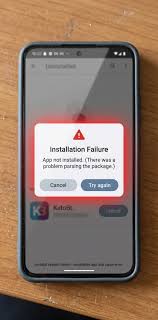
      Problem sign: an architecture mismatch often produces “App not installed” without a helpful explanation.

    7. Read the app page for special notes.
      Some apps need Google Play services, a specific country build, or a particular Android skin.
      Check: the publisher’s notes mention your region, device class, or service dependency.
      Problem sign: if the app depends on Google services and your device does not have them, the APK may open and then fail inside the app.

    Which APK version should I pick for my phone?

    Pick the newest version that still matches your Android release, CPU architecture, and package type. Sounds simple. It isn’t, because compatibility comes first and recency comes second.

    Start with the minimum Android version. If your phone runs Android 12, a build that needs Android 13 is the wrong file, no matter how attractive the changelog looks. Then match architecture: arm64-v8a for most current phones, armeabi-v7a for older ARM-only devices, x86 only for rare cases. If the app offers universal APKs, those can be easier because they include more device support, but they are often larger, sometimes by tens of megabytes.

    If the publisher offers multiple package formats, choose the one your install method can handle cleanly. A single APK is simplest. A split package is fine if you have a tool that installs the full set together. If you are weighing an older universal APK against a newer split package, I would take the one that fits your device and installer first. A slightly older compatible build is usually better than a newer build that only half-installs.

    One practical rule helps here: if you are unsure between arm64-v8a and armeabi-v7a, check the exact device model rather than guessing from the phone’s age. “New” and “64-bit” are not the same thing. Some low-end devices shipped with 64-bit-capable chips but still use 32-bit Android builds. That detail matters. No shortcuts.

    For package structure terminology, Android’s official docs on app bundles and splits are the cleanest reference: https://developer.android.com/guide/app-bundle

    The mistakes people actually make, and what they cost

    The common errors are predictable, and each one has a clear consequence.

    1. Choosing by Android version only.
      A person sees “Android 10+” and downloads the first file that fits.
      Consequence: the app may still fail if the architecture is wrong.
      Correct alternative: match Android version, then CPU type, then package format.

    2. Assuming all ARM devices are the same.
      People often treat arm64-v8a and armeabi-v7a as interchangeable, but the safer move is to check the exact ABI on the device or in the model specs and, if the source is unclear, consult the publisher or a qualified technician before installing.
      Consequence: installation may fail outright, or the app may not launch.
      Correct alternative: check the exact ABI, which is Android’s term for application binary interface—the machine-code format your device can run.

    3. Downloading a split package without the right installer.
      An .apks or .xapk file may require a compatible installer rather than a normal tap-to-install flow.
      Consequence: the install process stalls or only part of the app appears.
      Correct alternative: use a tool that can install split packages together, or choose a plain APK.

    4. Ignoring Google services dependencies.
      Some APKs need Play services, push messaging, location APIs, or authentication components.
      Consequence: the app installs but breaks during sign-in or notification setup.
      Correct alternative: read the dependency notes before downloading.

    5. Using an old APK because it looks “safer.”
      Some readers roll back too far to avoid change.
      Consequence: security fixes, server compatibility, and login support may be lost.
      Correct alternative: use the newest compatible build, not the oldest familiar one.

    6. Forcing a regional or device-specific build.
      A file made for a different country, chipset, or OEM skin may still install.
      Consequence: missing features, broken media codecs, or app startup crashes.
      Correct alternative: use the build labeled for your region or device family when the publisher provides one.

    When does the usual rule not apply?

    The usual rule changes when the device is unusual, the package is split too finely, or the app is tied to a special environment. That happens more often than generic guides admit.

    Very old Android version: if your phone is running Android 6 or earlier, many current apps will simply refuse to install — look for an older compatible release, or expect that the app is no longer practical on that device.

    Non-ARM hardware: if you have an x86 Android device, which is rare now, most ARM builds will not fit — find an x86 or x86_64 package, or stop if none exists.

    Google-free device: if the phone has no Google Play services, many mainstream apps will install but not function fully — choose an alternative app or a publisher-supported build that does not depend on Google APIs.

    Split-only distribution: if the developer ships only .apks or .xapk, a standard file manager install is the wrong tool — use a split-package installer or extract the base and required splits together.

    OEM-modified Android: if the device runs a heavily customized system from Samsung, Huawei, Amazon, or another vendor, the build may depend on platform services the app expects to find — verify the publisher’s notes and be ready for device-specific bugs.

    Rooted or unlocked devices: if the phone is rooted, some apps refuse to run at all, even when the APK version is correct — no APK choice fixes that, because the block is at runtime, not install time.

    These are the points where “just try another version” stops being smart and starts wasting time. If the app is sensitive, regulated, or tied to identity or payments, I would stop before forcing compatibility hacks.

    How can I tell I picked the right one?

    You picked the right one if the app installs cleanly, opens without a crash loop, and shows its expected features within the first 5 minutes. That is a better test than trusting a version label.

    A good result looks boring. The installer finishes without a parse error. The app icon appears. The first launch reaches the home screen. Sign-in works. If a split package was involved, none of the screens render as empty placeholders or broken blocks.

    A bad result is usually loud. “App not installed” points to a compatibility or signature mismatch. A crash on launch often means the Android version is too old, the architecture is wrong, or the app depends on services your device lacks. A black screen with no buttons may mean you chose the wrong density split or missed a required component.

    If the install works but the app does not, do not keep installing random variants one after another. Change only one variable at a time: first architecture, then Android version compatibility, then package format. That is how you isolate the problem in under 10 minutes instead of turning it into an afternoon.

    Quick answers to the questions people ask most

    The right APK version is the one that matches your Android version, CPU architecture, and package type. That is the core rule. For a reliable reference on Android compatibility and package behavior, see Google’s developer docs and manifest guidance: https://developer.android.com/guide/app-bundle, https://developer.android.com/guide/topics/manifest/uses-sdk-element, and https://developer.android.com/guide/topics/manifest/manifest-intro

    How do I know whether to choose arm64-v8a or armeabi-v7a?
    Check your exact device model or a trusted device-info app; if the specs are unclear, consult the publisher or a qualified technician before choosing.

    Is nodpi always the safest density choice?
    No. When it is offered, nodpi can be a practical fallback, but the safest choice still depends on the package and device.

    Can I tap any .apks or .xapk file to install it?
    Not always; those packages often need a compatible split installer or extraction tool rather than a normal single-file install.

    Should I always choose the newest build?
    Only if it still matches your Android version, architecture, and installer setup.